
Official Tenebris Somnia PC specs verified from Steam: 8GB RAM minimum, 5GB storage, DX11. Full minimum and recommended breakdown.
Tenebris Somnia System Requirements
The official Tenebris Somnia PC system requirements come straight from the Steam store page. Minimum spec asks for Windows 10 64-bit, a 2.4GHz dual-core processor, 8GB of RAM, a GPU with 4GB of VRAM, DirectX 11, and 5GB of storage. Recommended spec steps up to Windows 11, a 3.6GHz quad-core chip, 16GB of RAM, and 8GB of VRAM. The developers add that any system from the past 10 years should handle the game with ease.
- Minimum: Win10 64-bit, 2.4GHz dual-core, 8GB RAM, 4GB VRAM, DX11, 5GB disk
- Recommended: Win11 64-bit, 3.6GHz quad-core, 16GB RAM, 8GB VRAM, DX11, 5GB disk
- Good news: 2D pixel-art game, tiny 5GB footprint, modest GPU demands
- GOG lists lighter placeholder specs; trust the Steam numbers
Official Minimum Requirements
The minimum spec targets a basic 64-bit Windows machine with a dual-core processor and a graphics card carrying 4GB of dedicated video memory. Eight gigabytes of system RAM is the floor, DirectX 11 is required, and the 5GB storage footprint is small by modern standards. These numbers were read directly from the live Steam product page, not from aggregator mirrors that sometimes carry outdated drafts.
Official source: Tenebris Somnia on Steam
| Component | Minimum |
|---|---|
| OS | Windows 10 64-bit or later |
| Processor | 2.4GHz dual-core or higher |
| Memory | 8GB RAM |
| Graphics | 4GB of VRAM or greater |
| DirectX | Version 11 |
| Storage | 5GB available space |
The 4GB VRAM minimum is the only line that might catch owners of very old integrated-graphics laptops. Most discrete GPUs sold in the last decade clear it easily, and even many modern integrated solutions share enough memory to pass. If your machine runs other 2D indie horror titles smoothly, it will almost certainly run this one. Cross-check with our settings and performance page for tuning advice on borderline hardware.
Requirement aggregators sometimes copy early or regional variants. The Steam store page is the single authoritative source and the numbers above match it exactly.
Official Recommended Requirements
Recommended spec doubles memory to 16GB, moves to a 3.6GHz quad-core processor and Windows 11, and asks for 8GB of VRAM. Storage and DirectX stay identical at 5GB and version 11, which confirms the game has no heavy asset streaming or cutting-edge API dependency. The developers own note says any system from the past 10 years should handle the game with ease, signaling that recommended spec is headroom rather than necessity.
| Component | Recommended |
|---|---|
| OS | Windows 11 64-bit |
| Processor | 3.6GHz quad-core or higher |
| Memory | 16GB RAM |
| Graphics | 8GB of VRAM or greater |
| DirectX | Version 11 |
| Storage | 5GB available space |
| Note | Any system from the past 10 years should handle the game with ease |
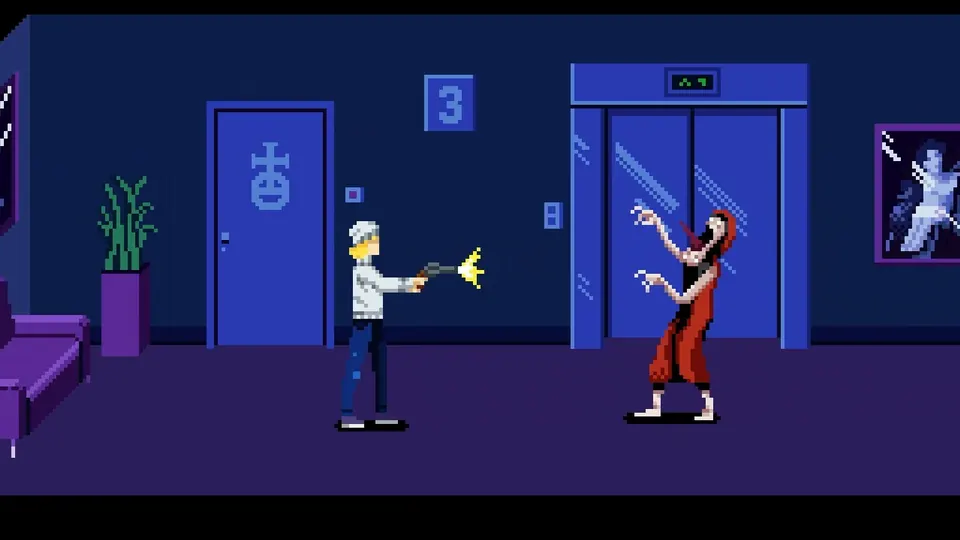
For context, these numbers sit far below typical 2026 AAA requirements. The game renders 2D pixel art with FMV video playback, so the GPU mainly needs video decode capability and modest VRAM rather than ray-tracing muscle. Players choosing between desktop and portable PC play should also read our Steam Deck guide for handheld expectations.
GOG Listing Differences Explained
The GOG product page shows notably lighter numbers: 1GB of RAM minimum and 2GB recommended, DirectX 9.0, and 2GB of storage. These conflict with the Steam figures and most likely reflect an older draft submitted during the coming-soon setup rather than tested final specs. GOG pages for unreleased games frequently carry placeholder data that gets refreshed near launch.
Official source: Tenebris Somnia on GOG
The practical rule is simple: plan your hardware against the Steam numbers, since those carry the developers explicit 10-year-system assurance. If your PC clears Steam minimum, the GOG build will run regardless of which listing proves final. DRM-free buyers can confirm the updated GOG specs at launch through our platforms comparison, which tracks both PC storefronts.
Do not buy RAM or a GPU based on the lighter GOG draft specs. The Steam requirements are newer, more detailed, and explicitly endorsed by the developers performance note.
What Kind of PC Actually Runs It Well
Real-world translation: any gaming laptop from roughly 2016 onward, any desktop with a mid-range card from the last decade, and most modern thin-and-light machines with decent integrated graphics should deliver a smooth experience. The 2D pixel-art renderer is cheap, FMV cutscenes are pre-rendered video rather than real-time 3D, and the 5GB install suggests highly compressed assets with short load times even on SATA SSDs or spinning drives.
Two edge cases deserve caution. First, 32-bit Windows installs are excluded since both spec tiers demand 64-bit. Second, machines with less than 8GB of total RAM may stutter during FMV transitions, because video decode plus game runtime can spike memory usage. Closing browsers and launchers before playing solves most borderline cases without hardware spending.
Controller users should note that previews recommend a gamepad while confirming keyboard and mouse work fine. Either input method has zero performance cost, so choose by comfort using our controls guide. Laptop players worried about heat and battery will find pixel-art games unusually kind to thermals compared with 3D horror titles.
FMV stutter on older machines is frequently a decoder driver issue rather than weak hardware. Update graphics drivers in launch week before concluding your PC cannot run the game.
Storage, Display, and Launch-Day Setup
Five gigabytes means the game fits anywhere, including small SSD boot drives and Steam Deck internal storage. No SSD is mandated, but installing on solid-state media shortens the transitions into and out of FMV sequences. Display demands are minimal: any 1080p panel works, and high-refresh monitors add nothing since pixel-art animation targets classic frame pacing rather than 120fps+ output.
On launch day, verify files through Steam after download, confirm the Steam overlay is enabled if you care about achievements (see our achievements guide), and set Windows power mode to Best Performance on laptops. Then work through the beginners guide and tips and tricks instead of troubleshooting hardware that already exceeds these modest requirements.
FAQ
Can my 10-year-old PC run Tenebris Somnia?
Almost certainly yes. The developers state that any system from the past 10 years should handle the game with ease. If your machine has 8GB of RAM, a 64-bit Windows install, and a GPU with 4GB of VRAM, you meet the official minimum.
How much storage does Tenebris Somnia need?
5GB of available space according to the Steam requirements. The GOG page lists 2GB, but that appears to be an older draft, so keep 5GB free to be safe.
Does Tenebris Somnia need a powerful graphics card?
No. The recommended GPU is described only as 8GB of VRAM or greater with DirectX 11, and the game renders 2D pixel art plus pre-rendered FMV video. Any mid-range card from the last decade qualifies.
Will it run on integrated graphics?
Likely on modern integrated graphics that can allocate 4GB of shared memory, though this is unverified. Older Intel HD-only machines fall below the VRAM line and may struggle. The free demo (Steam, the GOG demo page, or Xbox) is the perfect test vehicle.
Is Windows 11 required?
No. Windows 10 64-bit or later satisfies the minimum spec. Windows 11 appears only in the recommended tier, so Windows 10 players are fully supported.
Related Guides
- Settings and Performance — tuning tips for borderline machines.
- Steam Deck Guide — handheld PC expectations and controls.
- Platforms Compared — Steam versus GOG versus consoles.
- Controls Guide — gamepad and keyboard layouts.
- FAQ — quick answers on release, demo, and editions.
More Tenebris Somnia Guides
Master Tenebris Somnia controls: movement, interaction, inventory, combat, and controller support on every platform.
Free Tenebris Somnia demo on Steam, Xbox, and GOG: what it covers, how long it takes, and what the full October 16 game adds.
Complete Tenebris Somnia demo walkthrough: apartment arrival, chemical puzzle, monster fights, and FMV beats.
Who made Tenebris Somnia? Andres Borghi, Saibot Studios, New Blood Interactive, and the award-winning Argentine FMV crew facts.
Tenebris Somnia difficulty: no modes announced yet, so this guide covers demo challenge facts and launch prep.
Tenebris Somnia endings: no ending count is confirmed yet, so this guide covers the story setup and post-launch unlock plan.
All Tenebris Somnia enemies confirmed so far: the two-faced monster, Desiderium creatures, and cult foes, plus combat prep.
Tenebris Somnia exploration guide: Ivan's apartment, the Desiderium, room-clearing routes, and secrets for the demo and launch.